What's New

Everything we've shipped across Ventrata — new features, improvements and fixes. Filter by product area or release type to find the updates that matter to you.

Type Product
Showing all 60 entries

September 2026

New
Dashboard

Add descriptions beneath invoice and quote line items

You can now add a customer-facing description beneath any booking or item line on an invoice or quote, using the Invoice Notes field. It’s ideal for private charters, where you need to itemise what’s included — a DJ package, say — without changing the priced line.

Add the notes while building the booking, then generate the invoice or quote as usual.

New
Terminal App

Offline NFC scanning for Apple and Google Wallet tickets

Requires Terminal 6.74+

Apple and Google Wallet tickets scanned via NFC now work offline using barcodes, so scan and redemption are instant.

New
Kiosk App

Take payments on Kiosk via a connected command terminal

Requires Terminal 6.74+

Kiosks can now take payments through a connected command terminal. When command payments are enabled, the kiosk automatically uses an available terminal to start the payment, so customers don’t need to select one themselves.

Kiosk App fixes and improvements

Requires Terminal 6.74+
Fixed Kiosk App Fixed the kiosk camera screen's capture button being obstructed, blocking customers from taking a photo.
Fixed Kiosk App Fixed incorrect colours and backgrounds on kiosk progress overlays and QR code screens in dark theme.
Improved Kiosk App Improved dialog positioning on banded kiosks so they sit within the accessible reach zone.
Improved Kiosk App Improved kiosk delivery and post-payment screens in ADA Mode, moving buttons and fields into the lower accessible area.
Fixed Kiosk App Fixed the kiosk inactivity timer triggering during active TalkBack navigation.

Terminal App fixes and improvements

Requires Terminal 6.74+
Fixed Terminal App Fixed the turnstile gate stopping partway through a group ticket, so the whole group is now let through correctly.
Fixed Terminal App Fixed GPS position getting stuck for an entire shift — the Terminal now refreshes it throughout the shift.
Fixed Terminal App Fixed printer availability being checked per item instead of per batch.
Improved Terminal App Improved unattended scan-only mode so the scanner stays ready for the next ticket while the previous result is still showing.
New
Re-seller Portal

Create and pay for topups in the Reseller Portal

Reseller agents can now create and pay for topups directly through the Reseller Portal, making the full topup journey self-service.

Topups appear in the portal navigation for agents with the Manage Topups permission, when their reseller has topups enabled. Each topup and its payment created through the portal is attributed to the agent.

New
Re-seller Portal

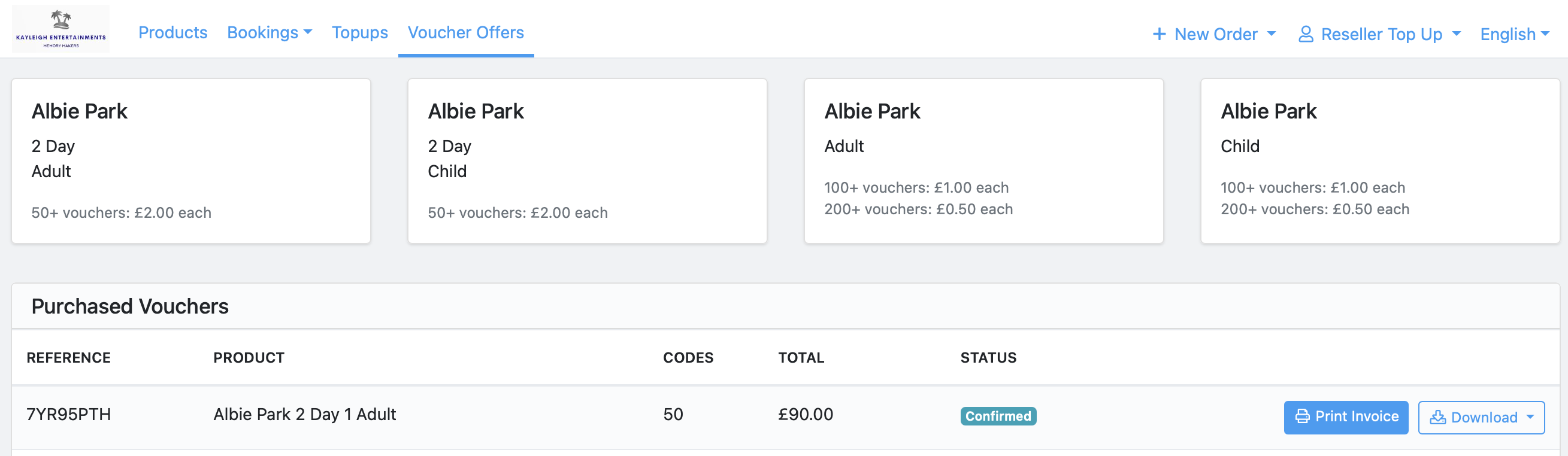
Volume pricing for reseller Voucher Offers

Voucher Offers have been introduced to allow reseller volume pricing. Resellers automatically get the best qualifying tier for the quantity they buy.

How it works

  1. Configure your tiers under Resellers → Voucher Offers.
  2. Configure your reseller and agent to allow access.
  3. The reseller picks an offer and enters a quantity.
  4. The top qualifying tier applies automatically.
  5. Once paid, voucher codes are ready as CSV, XLSX or PDF.
ventrata.com
Reseller portal Voucher Offers tab showing pricing tier cards and a Purchased Vouchers table with reference, product, codes, total and status columns
Tiers stack per product — buy 200+ Adult vouchers here and the price drops to £0.50 each, no manual override needed.

August 2026

New
Dashboard

Printable seated resource plans

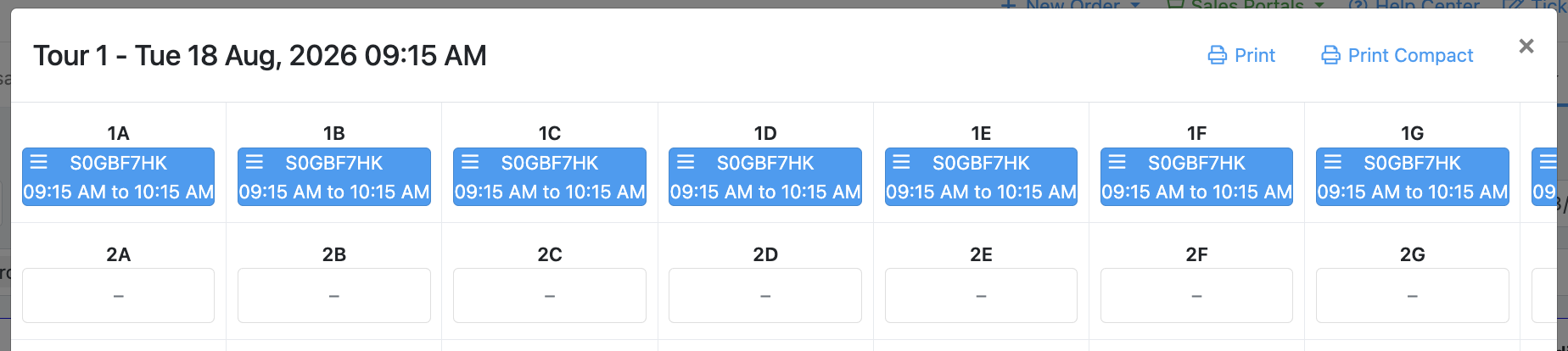
You can now print seated resource plans directly from the calendar. Print the full plan with order details, or choose Print Compact for a colour-coded view of sold and empty seats at a glance.

ventrata.com
Seated resource plan modal for Tour 1, with Print and Print Compact buttons
Print Compact colour-codes sold vs. empty seats, for a quick view of availability.
New
DashboardMemberships & Households

See whether a Membership is new or a renewal

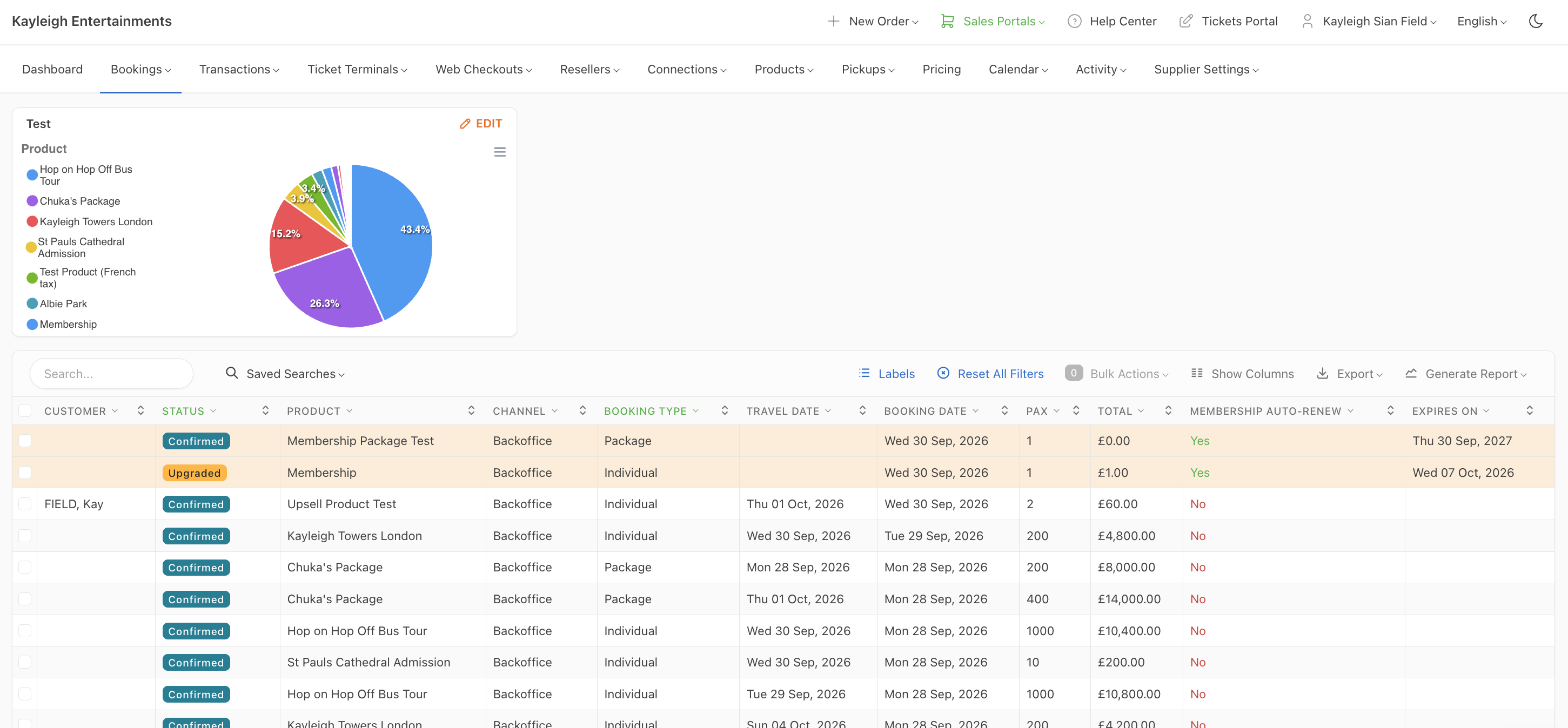
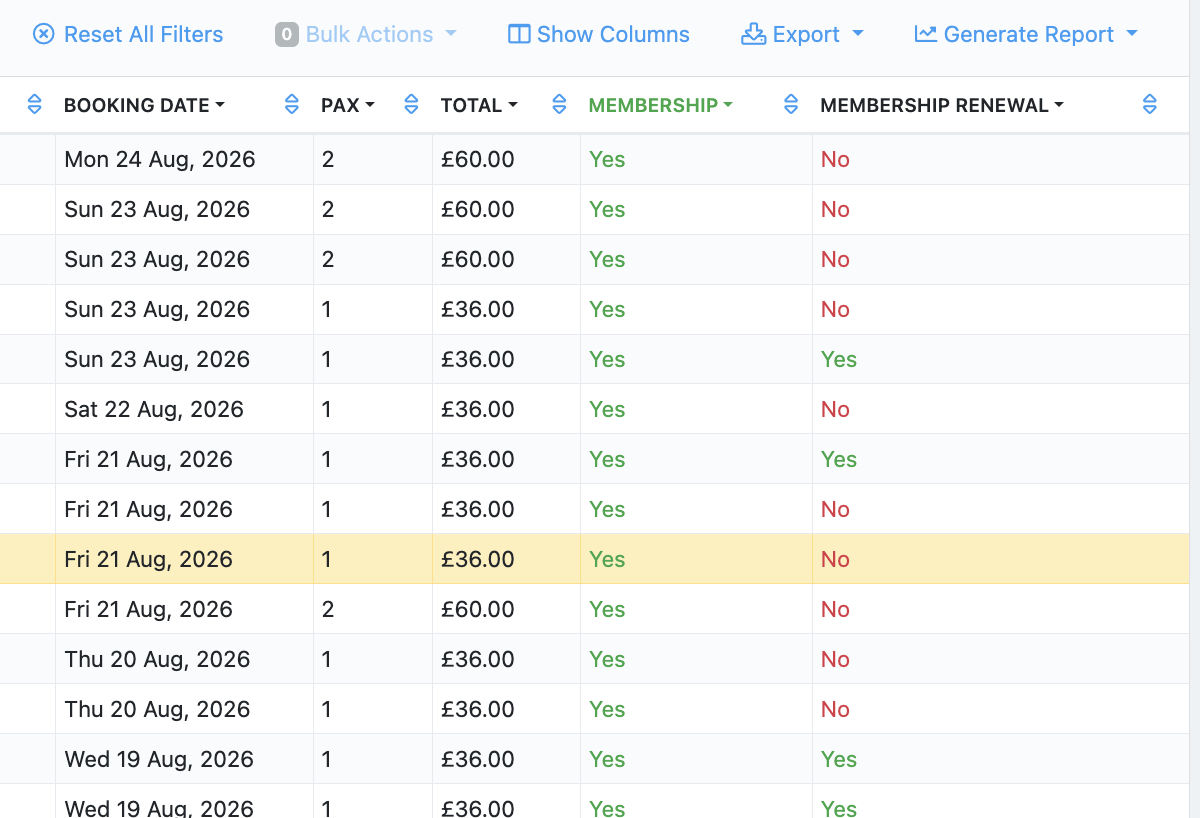
You can now see whether a Membership booking is new or a renewal. A Membership Renewal column, with a Yes/No value, has been added to the Bookings and Tickets tables, and can be filtered like any other column.

ventrata.com
Bookings table showing the Membership Renewal column with Yes and No values
Filter the column on its own, or combine it with the Membership filter to isolate renewals.
Improved
Reseller Connections & OTAs

See Go City's actual rejection reason on failed redemptions

When a Go City redemption fails, you’ll now see the provider’s own rejection message instead of a generic validation error. This makes it clear why a visit was rejected, so operators can resolve issues faster.

New
Reseller Connections & OTAs

Choose when external pass usage is recorded, per connection

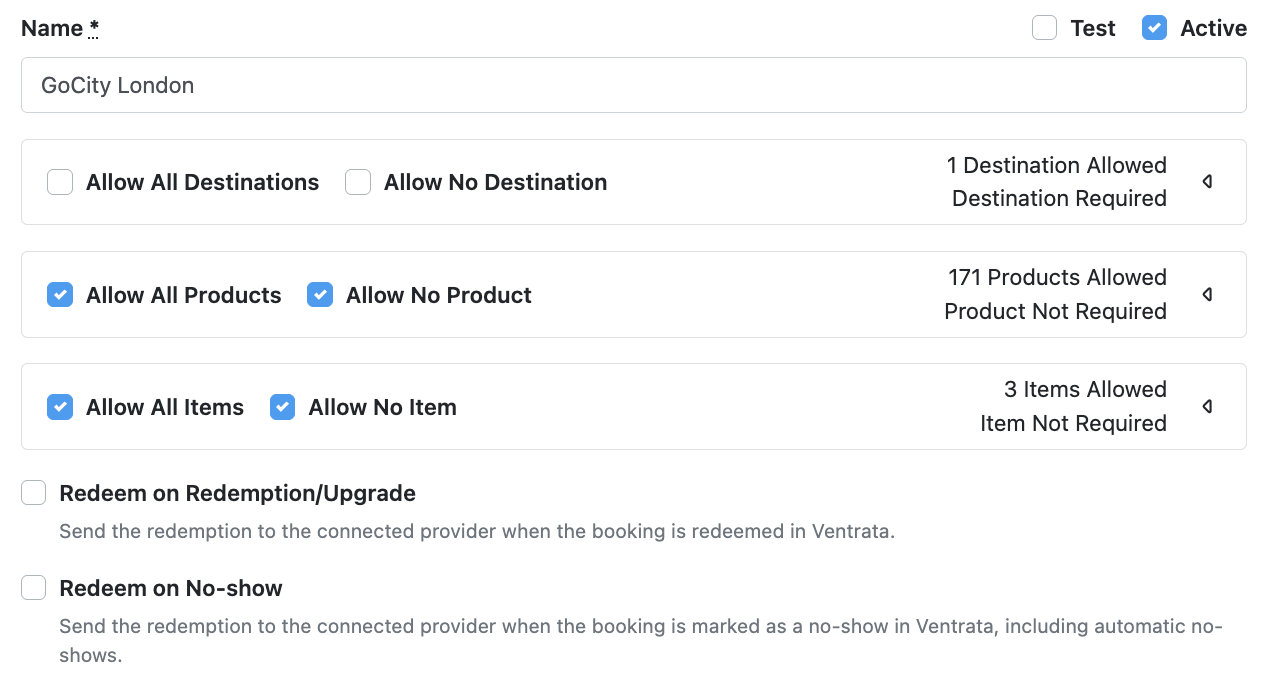
You can now configure, per pass connection, whether usage is recorded at redemption or upgrade, at no-show, or both. This gives suppliers finer control over how supported pass connections track usage.

GoCity London connection settings showing the Redeem on Redemption/Upgrade and Redeem on No-show toggles
Turn on redemption/upgrade and no-show usage recording independently for each pass connection.
New
Dashboard

Reconcile Fiskaly Austria receipts with orders and sales

You can now download a reconciliation report that links Fiskaly Austria receipts to their corresponding Ventrata orders and sales data. Use it to speed up accounting checks and confirm every fiscalised receipt matches the underlying order.

New
Kiosk App

Pay with a gift card on Kiosk

Guests can now pay with a gift card at the Kiosk, entering the code themselves on the payment screen. It sits alongside existing card and cash options, so guests can complete checkout without needing staff help.

New
Terminal App

Sign waivers for a whole group on Terminal

One authorised participant can now sign a waiver for themselves, several people, or the whole group in a single booking — instead of everyone signing individually. The customer sees exactly which waiver and which participants it covers, and confirms explicitly before signing for anyone else.

Signing individually is still available, and once a waiver is signed it can be edited but not undone.

Fixed
Checkout Widget

Fixed invalid time slots showing for the second product in a package

Fixed an issue in the package booking widget where customers could see incompatible times for a second product. Only times that work with the first product’s selection are shown now, avoiding invalid combinations.

Fixed
Terminal App

Fixed orders getting stuck with no delivery method chosen

Fixed an issue where an order could be placed with no delivery method selected, leaving it stuck and unable to be completed or cancelled. Continue is now disabled until a delivery method is chosen.

Improved
Terminal App

Refreshed dropdown menus on Terminal

Dropdown menus across Terminal have an updated look — new text style and border — to match our latest design system. Functionality is unchanged.

Improved
Terminal App

Update notifications no longer show in Concierge mode

The update-available notification no longer appears in Concierge mode, since the person using a Concierge device can’t action an update themselves. It still shows as before in other Terminal modes.

New
Terminal App

Package includes now respect the package's validity period

Requires Terminal 6.73+

Redeeming an include from a package now uses the package’s own validity period, rather than defaulting incorrectly. If a package is valid for 30 days, every include inside it stays redeemable for those 30 days too — matching what the guest actually bought.

New
Terminal App

Retail items and order totals can now go negative

Requires Terminal 6.73+

Retail items with a negative value are now available on Terminal, so an order’s total can go negative too — useful for issuing credits, corrections or partial refunds directly within a sale. Add a negative-value item the same way as any other retail item; the total updates automatically.

Terminal App fixes and improvements

Requires Terminal 6.73+
Improved Terminal App Country names in Terminal now display in the app's selected language, instead of only English.
Improved Hardware & POS The Buy button label on Kiosk now adapts to match each operator's own terminology.
Fixed Hardware & POS Fixed an issue on Kiosk where a mandatory per-ticket fare wasn't scaled to the number of units, leaving a balance due at checkout.
Fixed Terminal App Fixed travel date selection on the redemption page for flexible includes.
Fixed Terminal App Fixed order recovery for a retail purchase added to an existing bar tab.
Fixed Terminal App Fixed an issue where booking multiple products via quick sale could fail because of concurrent order requests.
Fixed Hardware & POS Fixed Kiosk repeatedly calling the printer in the background during manifest sync.
Fixed Hardware & POS Fixed the Kiosk country dropdown so it can be filtered by typing, instead of only scrolling through the full list.
Fixed Hardware & POS Fixed Kiosk showing a restart button during payment, which could interrupt a payment in progress.
Fixed Terminal App Fixed includes being charged at the wrong rate when booked through the reseller flow.
Fixed Terminal App Fixed a package code being lost during a multi-scan lookup, so it now carries through correctly.
New
DashboardManage My Booking

Invoices and receipts now show the tax breakdown

Invoices and receipts now list the tax rate that applied, along with the taxable amount and the tax charged — not just the final total. This gives guests and finance teams a clear breakdown of every fare’s tax, with nothing to configure.

New
Dashboard

Print seating plans from manifests

Manifests can now generate a printable seating plan. Choose the resource you want to print, and the Dashboard lays out every seat and who’s booked into it as a ready-to-print PDF.

Improved
Dashboard

Refund gratuity along with the booking

Refunds can now include gratuity, so you’re no longer left adjusting tips separately afterwards. This covers refunds of the main booking too, not just add-ons — gratuity is refunded alongside the fare in one action.

Improved
Dashboard

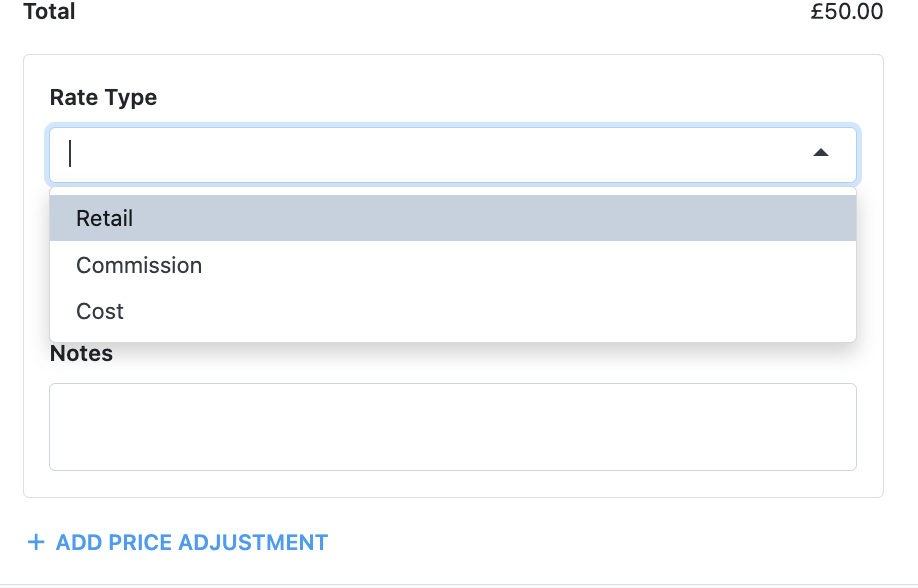
Custom pricing values can now be negative

Custom retail, cost and discount values can now be set as negative numbers, so pricing overrides that need to reduce a rate below its normal calculation are no longer blocked.

Fixed
Dashboard

Fixed transactions showing as double-refunded

Fixed an issue where some future-dated bookings appeared refunded twice in the Dashboard, even though Adyen had only processed the refund once. Affected transactions now show the correct refund status.

New
CMS (Web Builder)

Embed playable YouTube videos with a new video block

You can now add a dedicated YouTube video block. Paste a YouTube link, choose a 16:9, 9:16 or 1:1 aspect ratio, and the page shows a thumbnail until visitors click play.

New
CMS (Web Builder)

Showcase featured experiences with a new block

You can now add a Featured Experiences block to any page, to showcase a hand-picked selection of your tours or activities to visitors. Choose which experiences to feature and display them in a carousel alongside their details.

New
Dashboard

Group manifests by pickup, drop-off or run stop

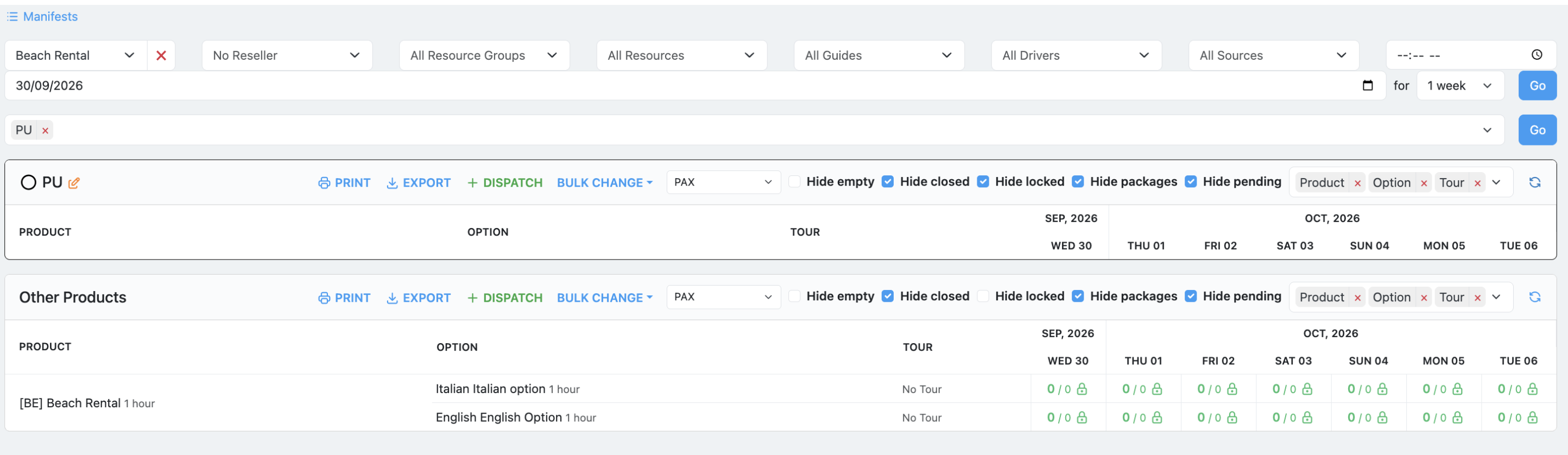
Manifests can now be grouped by run stop, pickup location or drop-off location, with a separate sort order inside each group — for example, grouped by pickup location and sorted by pickup time.

Set this in the manifest configuration in the Dashboard; the default stays ungrouped, and existing point-to-point manifests keep their current run-stop grouping automatically.

How to create manifests
Fixed
Manage My Booking

Manage My Booking changes no longer trigger incorrect refunds

We’ve fixed an issue where changes made through Manage My Booking could automatically refund the price difference when a guest moved to a cheaper date or timeslot.

Fares are now fixed at their originally confirmed value whenever a change resolves to an equal or lower rate — including externally priced and seasonal fares — while genuine price increases are still charged as before. Existing external fares have been backfilled to the confirmed value.

New
Dashboard

Two step checkin and redemption flow

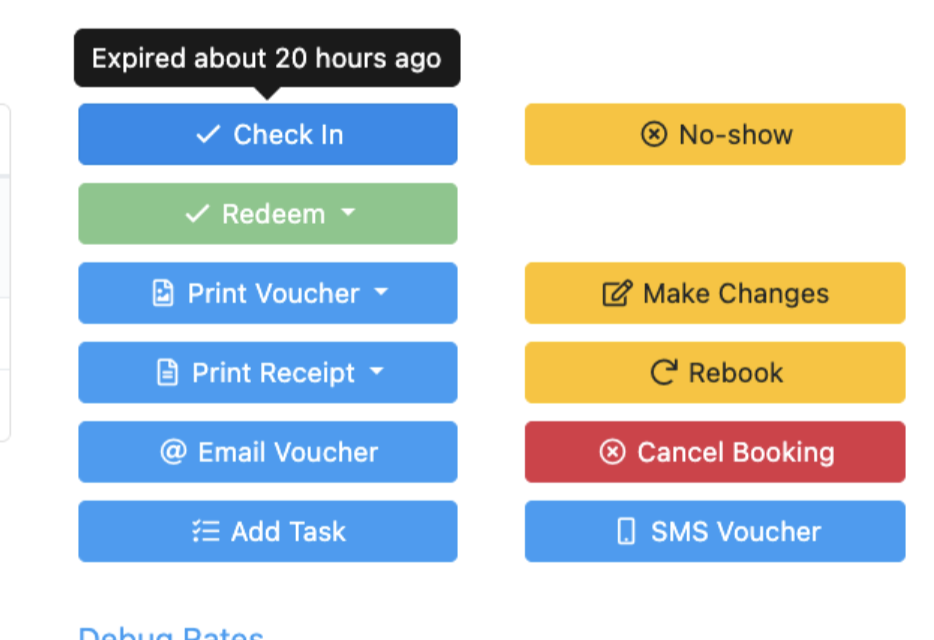
Products where arrival needs to be recorded before a ticket is consumed can now go through a two-stage lifecycle on Dashboard: Confirmed → Checked In / Part Checked In → Redeemed / Part Redeemed.

Enable Checkin Required on the product. Then check bookings in and out from booking actions or ticket status controls until they’re redeemed.

Redemption is blocked until the relevant tickets are checked in — useful for boarding, event registration, tour assembly, timed entry and queue management. Products without Checkin Required are unaffected. This is Dashboard-only for now; Terminal support is still in development.

ventrata.com
Booking actions showing Check In and Redeem buttons
New
Dashboard

Manage Adyen disputes directly in the Dashboard

Dispute statuses now stay in sync with Adyen automatically, and actionable disputes can be accepted or defended directly from the Disputes table — no need to leave the Dashboard.

Available defence reasons and the supporting documents Adyen needs are pulled in for you, and your evidence uploads straight to Adyen. Dispute search now also covers the transaction reference, order details and card last four digits.

How to Use the Disputes Table
New
DashboardTerminal AppCheckout Widget

Custom validation rules for booking questions

Questions can now use a Validation field with a custom JavaScript expression, so you can check answers against far more than a simple format — age limits, future-dates-only logic, postcode allowlists, even ID checksums.

The expression returns true or false; anything else, or an error, rejects the answer. It works across the Dashboard, the POS app and the online checkout, so the same rule applies wherever a guest answers — the existing Pattern field still covers simple formats.

How to Use Questions

July 2026

Improved
Memberships & HouseholdsManage My Booking

Stop early membership renewals from being discounted

Some membership products round validity to the end of the purchase month, which meant renewing in that final month could quietly give members a discounted, prorated renewal. A new Upgrade Append Validity Required setting in Packages & Memberships stops this.

Turn it on and Dashboard renewals automatically append validity instead of offering a manual override, and Manage My Booking hides the “Renew today” option. Expired memberships, and products where immediate renewal is meant to be allowed, keep working as before.

How to Renew Memberships in the MMB Portal
New
DashboardHardware & POS

Choose which units generate tickets

You can now stop tickets being generated for specific units. Switch off the new Allow Ticket setting when editing a product unit, and that unit produces no PDF ticket — the other units in the booking still get theirs. It’s on by default, so existing products are unchanged. This suits tiers that don’t need admission — say a child tier with only a café voucher. For now this covers PDF tickets; those units may still be issued at POS and in wallets.

Improved
Dashboard

Set a maximum weight per unit

You can now set a maximum weight for each individual unit. Until now, maximum weight could only be set at the product or resource level — now you can apply a different limit to each unit type.

Improved
CMS (Web Builder)

A refreshed CMS Editor that's easier to navigate

The CMS Editor has a cleaner, reorganised interface: tools and settings are grouped more logically, and the actions you use most sit where you’d expect them, so everyday editing takes less hunting.

It’s a redesign of the editing experience, not the underlying CMS, so everything you could do before still works exactly as it did. Some controls have moved, so it may take a moment to find them in their new homes.

Blocks are grouped by type, with search across the whole library.
Read the CMS Editor guide
New
Terminal App

Manually selected includes now use the package's validity

Requires Terminal 6.71+

Manually adding an include from a package now uses the package’s own validity period. If a package is valid for 30 days, a manually added include stays redeemable for those same 30 days too.

New
Kiosk App

Sign waivers for a group on Kiosk

Requires Terminal 6.71+

Guests can now sign a waiver on Kiosk on behalf of themselves, selected participants, or everyone in their booking, in one action. Signing for more than one person requires explicit consent, and each participant can still sign individually if they’d rather.

Terminal App and Kiosk fixes and improvements

Requires Terminal 6.71+
Fixed Kiosk App Fixed several screen reader focus and navigation issues on Kiosk.
New Kiosk App The Kiosk payment page now shows an order summary alongside it.
New Hardware & POS Raster printers now support 200 and 300 DPI for sharper printing.
Improved Terminal App Removed the option to skip receipt printing during redemption.
Fixed Terminal App Fixed tax not being applied to custom retail extras.
Improved Terminal App Unit and extra pricing is now shown consistently in the rebook flow.
Fixed Kiosk App Fixed label colours on the Kiosk category and language pickers.
Improved Kiosk App Updated the language picker icon on Kiosk.
Fixed Kiosk App Fixed the language picker showing on Kiosk even when a language is already set.
Fixed Kiosk App Fixed Kiosk's accessibility mode not resetting after a sale.
Fixed Terminal App Fixed the shift dashboard reloading unnecessarily when cash payments aren't allowed.
Fixed Kiosk App Fixed Kiosk getting stuck on the loading screen.
Fixed Terminal App Fixed package includes showing on the cart page when they should stay hidden.
Fixed Kiosk App Fixed expired promo codes creating balance-due orders on Kiosk.
Fixed Terminal App Fixed the new-order countdown appearing incorrectly after a quick sale.
Fixed Hardware & POS Fixed a crash during payment caused by a foreground service error.
Fixed Hardware & POS Fixed a command sync issue affecting BOCA printers.
New
Manage My Booking

Upgrades in Manage My Booking

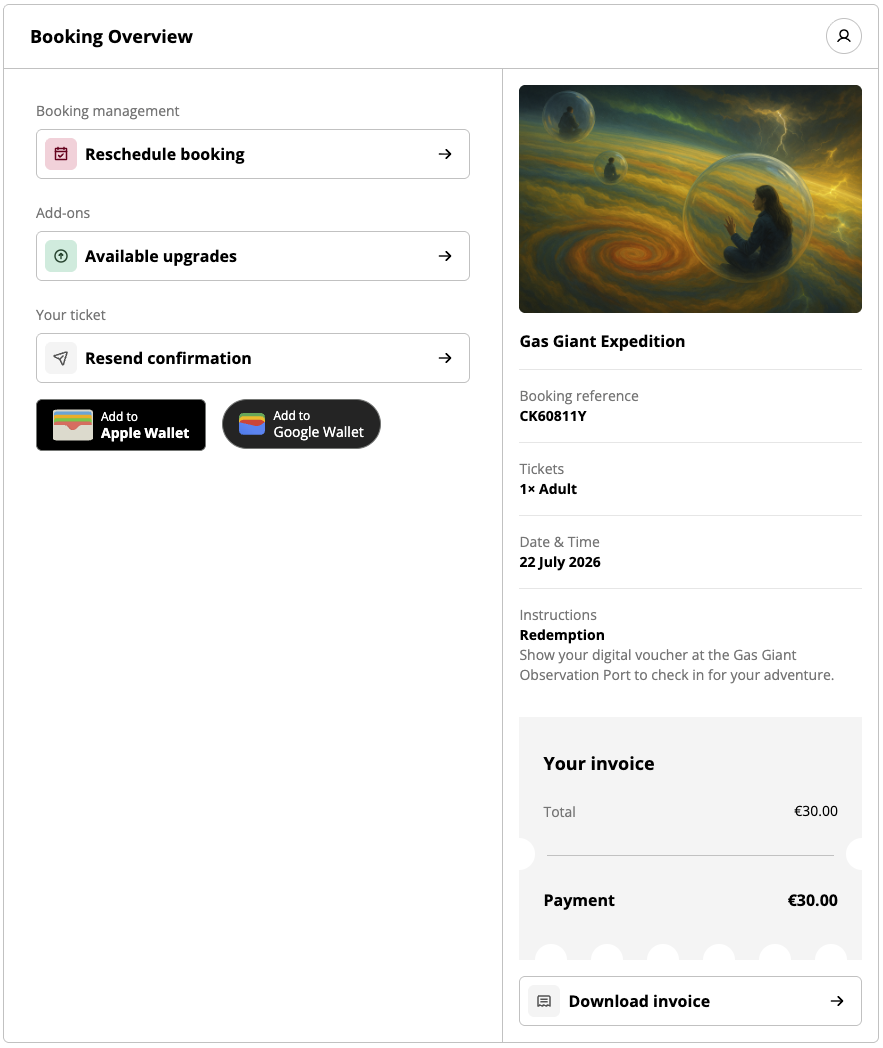
Guests are now offered upgrades to their booking directly in Manage My Booking. They select from the offers shown and confirm their choice.

For now this covers the direct path — guests can accept an available upgrade, but can’t yet adjust units, extras or availability.

ventrata.com
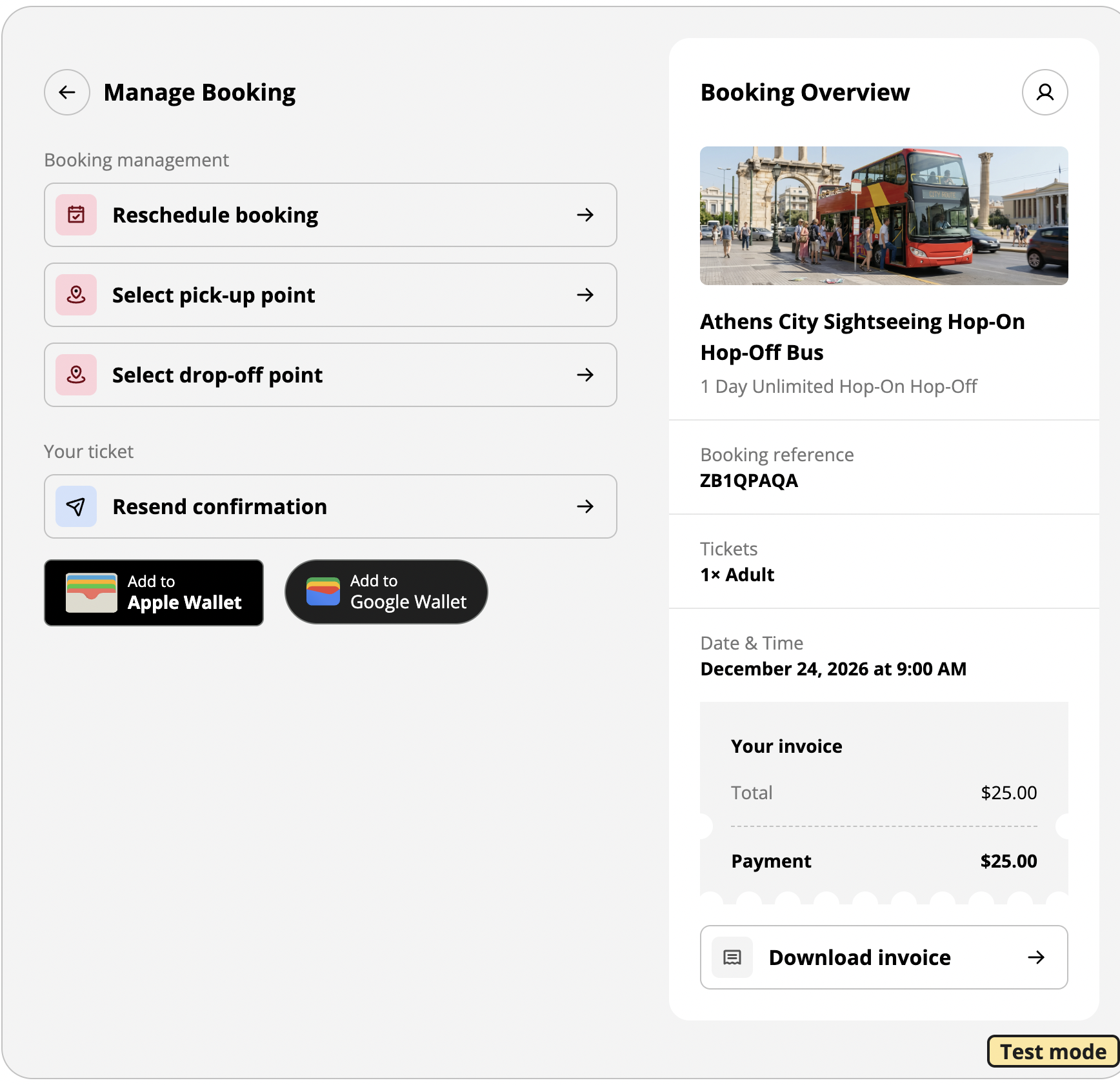
Manage My Booking booking overview with the Available upgrades option

June 2026

Improved
Hardware & POSTerminal App

Book packages without choosing every optional include

Terminal and Kiosk now let guests complete a package booking even when optional includes haven’t been selected. It’s ideal for attraction passes and flexible itineraries, where guests decide which experiences to use later, so there’s no friction at checkout.

How to create package products
New
Dashboard

Cancel unpaid Balance Due orders automatically

You can now set Balance Due orders to cancel automatically if payment isn’t received by a date or time you choose. Inventory is released as soon as an order expires, so unpaid bookings stop holding availability and there’s less manual chasing.

Read the guide
New
Checkout WidgetReseller Connections & OTAs

Collect nationality and ID number as standard fields

Nationality and ID number are now standard booking and ticket fields, so you can capture passport and identification details without building custom questions. They’re supported in OCTO too, so the same details flow through to connected resellers and partners.

New
CMS (Web Builder)

Edit header and footer menus in the CMS Editor

You can now edit your website’s header and footer menus directly in the CMS Editor, so updating navigation no longer needs a developer. Change links and menu structure yourself and publish when you’re ready.

How to edit header and footer menus
Improved
CMS (Web Builder)

Format block descriptions with a rich text editor

Block description fields now use a rich text editor, so you can add formatting and structure your copy the way you want. It’s easier to create clear, engaging content across your website without fighting plain-text fields.

How to use the block library
Improved
Kiosk App

Kiosk hides same-day add-ons with no availability

Kiosk now automatically hides same-day cross-sell add-ons when there’s no availability for the selected date. Guests only see options they can actually book, which keeps the flow clean and helps conversion.

How to create combinations and cross-sell
New
Memberships & Households

Merge duplicate customer profiles and households

You can now merge duplicate records to keep customer data clean. Combine profiles that belong to the same person into one customer record, and merge entire households into a single household, for a complete view of activity, purchase history and lifetime value as your database grows.

How to use the household level
New
Memberships & Households

Pause membership benefits automatically during payment disputes

When a payment is disputed, it now syncs straight to the membership and pauses benefit redemption while the dispute is open, so benefits can’t be used on a membership that may go unpaid. New dispute status and reason fields give you clearer visibility of what’s happening across your transactions.

Improved
Dashboard

Promotions now apply even above the maximum ticket quantity

Promotions no longer stop working when a booking goes over the maximum eligible ticket quantity. The discount applies to the configured number of tickets, and any extra tickets are charged at full price, so guests can still check out in one go while your promotion rules hold.

How to create promotions
New
Re-seller Portal

Reuse saved payment cards in the Re-seller Portal

Reseller agents can now reuse a customer’s saved payment card to complete a booking, so repeat sales go through faster. New permissions let you control exactly who can view and use stored cards, so access stays with your trusted agents.

How to create reseller agents
Improved
Dashboard

See boarding and disembarking at every point-to-point stop

Point-to-point manifests now show who boards and who disembarks at each stop, giving your operations team a clear view of guest movements along the route. Capacity is simpler too: overlapping capacity for point-to-point products with no assigned resource is now handled automatically.

How to manage point-to-point
Improved
Dashboard

Show follow-up questions only when they're relevant

Follow-up questions can now appear only when a particular answer is selected, so guests see fewer fields and only the ones that apply to them. Shorter, more relevant forms are easier to complete and give you cleaner data.

How to use questions
New
Dashboard

Set a cutoff for automatic no-show rescheduling

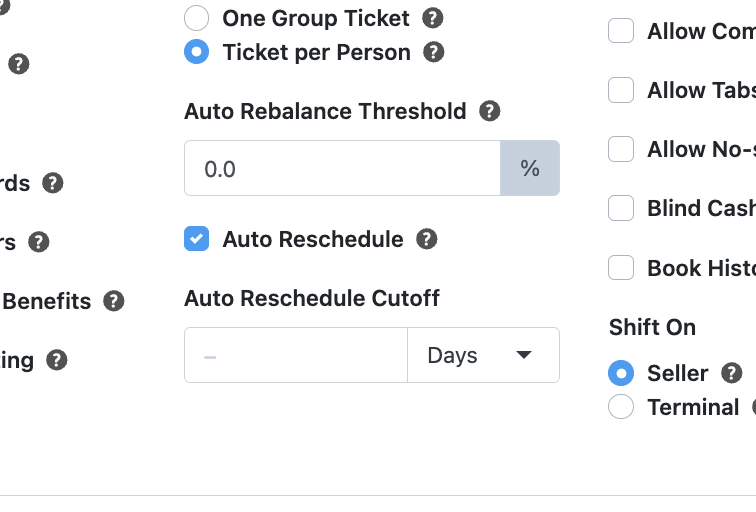
You can now set an Auto Reschedule Cutoff for each location, capping how long after the original tour time a guest can still be automatically rebooked following a no-show.

Choose the cutoff in minutes, hours or days — leave it blank and your existing auto reschedule rules carry on as before.

Location settings showing the Auto Reschedule checkbox and Auto Reschedule Cutoff duration field
Choose the cutoff unit — minutes, hours or days — right next to the Auto Reschedule setting it controls.

May 2026

New
Dashboard

Manage members and households in one place

Members & Households is now available for membership-focused operators. Manage membership at the household level, with reporting that covers lifetime value and activity across everyone in a household.

Improved
CMS (Web Builder)

Name, preview and restore CMS page versions

CMS version history is much easier to work with. You can name releases, browse previous versions, preview them visually, and restore any version when you need to roll a page back.

New
Kiosk App

Point-to-point booking on Kiosk

Guests can now book point-to-point journeys directly on the Kiosk. They pick their From and To stops, see the valid routes, and review the chosen route in the booking summary before paying.

Dashboard and resource management improvements

New Dashboard Dependent Answers show follow-up questions based on a previous answer, for a cleaner, more relevant booking flow.
Improved Dashboard Choose whether reseller and affiliate sales inherit availability from the checkout source or the concierge source.
Improved DashboardData Analytics Set custom retail prices and costs on items, assign operators to retail items, and include retail purchases on operator invoices.
Improved Dashboard Give resources custom durations and offsets at the resource-group level, so a resource can be released before a tour ends and reassigned.
Improved Dashboard Control how bookings in the same order are scheduled — allow overlaps, or require a booking to come first or last on the day.
Improved Dashboard Validate question answers against a required format — email, phone or ID — using answer patterns.
Improved Dashboard Use allocations for direct and indirect sales at the same time.
Improved Dashboard Set shared or fixed resource costs by tier, varying by unit type and across date ranges.
Improved Dashboard Define which ticket tiers are allowed on a specific resource with resource unit tiers.

More control in the CMS editor

Improved CMS (Web Builder) Manage checkout configuration directly in the CMS editor, under Settings → Checkout.
New CMS (Web Builder) Feature a single product on a page with the new Product Highlight block — ideal for an offer or a single experience.
Improved CMS (Web Builder) Edit Hero section claims directly in the editor, with a larger icon library to choose from.
Improved CMS (Web Builder) Hide product duration from lists when you don't need it; duration now shows as a cleaner pill badge.
New CMS (Web Builder) Upload and display PDFs, spreadsheets and other files on a page with the new File Upload blocks.

Terminal and Kiosk updates

Improved Hardware & POS Terminal now prevents offline settlement when an order must be settled online, helping with fiscal receipt compliance.
Improved Hardware & POS Terminal blocks cash payments above the configured cash limit and guides the customer to another method.
Improved Hardware & POSKiosk App Staff can reprint receipts for Kiosk orders, without a workaround at the service desk.
Improved Kiosk App Extras only appear during their valid booking periods, keeping the Kiosk flow clean.
Improved Checkout Widget Make email mandatory only when a customer opts into marketing, keeping it optional for everyone else.
New Checkout Widget Customers can choose whether their membership auto-renews during checkout.
End of tour
You're all caught up.
That's the latest from Ventrata. Check back for new releases.
See what's next on the roadmap